

The Marketing & Communications Department at Saint Joseph’s College of Maine.
The Marketing & Communications Department at Saint Joseph’s College of Maine leads the college’s brand strategy, ensuring a consistent and compelling identity across all platforms. The team manages marketing initiatives such as advertising campaigns, digital content creation, social media strategy, and promotional materials to engage key audiences and strengthen the college’s reputation. They also handle external communications, media relations, and news coverage that highlight student success, faculty expertise, and institutional achievements. Through strategic outreach and creative storytelling, the department supports enrollment, advancement, community engagement efforts, and all departments across campus.
Please consult the marketing department before sharing the SJCME logo with outside companies or alumni for sponsorship visibility, promotional items, signage etc.
Below, you’ll find core brand elements, guidelines for their use, and tips on how to collaborate with us. Please get in touch at marcom@sjcme.edu and anason@sjcme.edu.
Brand Resources
Brand Guidelines
The Saint Joseph’s College of Maine Brand and Style Guide has been developed to provide a consistent image for the brand identity and reputation of the College. Saint Joseph’s College of Maine Brand Identity is a combination of many factors including the name, logo, symbols, design, packaging, colors and fonts we use when we are communicating information to various audiences, particularly students, alumni, faculty, staff, high school representatives, prospective students and their parents.
Brand Palette
The following files and resources are provided for community use and intended for smaller digital or informal projects (web, email, digital documents, everyday printing). If you are seeking to create a branded piece for external audiences or events, please consult with the Brand Studio.
Logos
To save the image, click on the download link and when the new window opens, right click and save image.

Download
↓ Blue Version
↓ Black Version
↓ White Version
Download
↓ Blue version
↓ Black version
↓ White version
For additional logo versions; print files; and departmental logos, please email brandstudio@sjcme.edu.
Icons
To save the icon, click on the download link and when the new window opens, right click and save image.










Color

SJC Blue
PMS 2728C
Web #0246BE
RGB 02, 70, 190

White
Web #FFFFFF
RGB 255, 255, 255
Fonts
Saint Joseph’s College uses the font Graphik as its main typeface. There are a number of different weights available for flexibility and differentiation.
System alternates are detailed below for web usages or when Graphik is unavailable. Additionally, Tiempos is a secondary typeface for use as body text.
Graphik
System alternates: Archivo, Arial
Application: Headlines, subheadlines, body text

Tiempos
System alternates: Garamond
Application: Body text

Templates
All Google templates can also be accessed directly through Google template gallery.
Digital Letterhead
- Google Docs template – Choose “Make a Copy” found in the “File” menu. This template can be found in your Google Docs template gallery.
- Microsoft Word template
Postcards
- 5 x 7 – Choose “Make a Copy” found in the “File” menu. This template can be found in your Google Slides template gallery.
- 4 x 6 – Same instructions as above.
Presentations
- Google Slides template – Choose “Make a Copy” found in the “File” menu. This template can be found in your Google Slides template gallery.
- PowerPoint template
- Research Poster template – This template can be found in your Google Slides template gallery.
Proposals
- Google Docs template – Choose “Make a Copy” found in the “File” menu. This template can be found in your Google Docs template gallery.
- Microsoft Word template
Email Signature Format
Copy and paste the appropriate department format below to your email signature found in your Gmail settings. Choose “Normal” size and use the “Sans Serif” font option.
All College
Name | Title
Department
Office: ##### | Location on campus
Email:
pronouns: she/her (optional)
“Inspiration Quote.” – Attribution (optional)

Saint Joseph’s College of Maine
278 Whites Bridge Road | Standish, ME 04084
sjcme.edu
Athletics
Name | Title
Department
Office: ##### | Location on campus
pronouns: she/her (optional)
“Inspiration Quote.” – Attribution (optional)

Saint Joseph’s College of Maine
278 Whites Bridge Road | Standish, ME 04084
sjcme.edu
Story
College Tagline
Where community grows.
Brand Story
Community is a commitment. A commitment to the people we gather around us. To the spirit of service we grow within us. To the places we cultivate over time. Community recognizes that we must sustain each other. We strive to build it when we are ready to lead, and we fall back on it when we are in need. Community asks that we translate our values into work, and transform our ambition into generosity. Community is an opportunity with unlimited potential.
At Saint Joseph’s College of Maine, community grows. Continually renewed by our Mercy values, we weave together the skills, the space, and the spirit that lifelong learning requires. Community grows in our students, faculty and staff, who recognize learning as a tool to lift ourselves in the service of others. Community grows across our breathtaking campus, where the vistas of Sebago Lake meet the independent culture of Portland, offering learners the space to grow. And community grows from Saint Joseph’s to the world, where our alumni use our practical liberal arts to heal, teach, build, protect, lead, sustain and serve the many communities we call home.
At the heart of Catholic education lives a set of powerful partnerships: between individual dignity and community strength, between knowledge and service, between respect and justice, between integrity and excellence. For over a century, we have nurtured these relationships. Anchored in learning, they light the way to a life of leadership and compassion. Saint Joseph’s College is the community that grows community, preparing whole people to contribute to a whole world.
Voice
Brand Voice
Grounded
Smart
Honest
Kind
Passionate
Approachable
Generous
Brand Offerings
Community
Learning
Values
Spirit
Support
Space
Nature
Wholeness
Brand Outcomes
Grow
Learn
Succeed
Connect
Serve
Fulfill
Value
Do Good
Photography
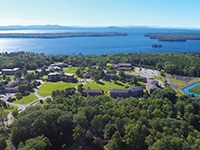
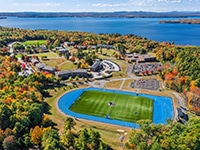
Aerial Campus Photos
Click on an image to download a high resolution version. Choose the size you want before downloading the image.




Public Use Photos
Click on an image to download a high resolution version. Choose the size you want before downloading the image.












Brand Architecture
Brand Architecture is the way our core identity is adapted and expressed across the College to provide clarity and consistency. Think of it as a brand family tree. Below you will see examples of each type of visual “sub-brand.” Please request your department’s logo at brandstudio@sjcme.edu. These requests will be fulfilled in the order in which they are received.
Public-Facing Departments
Public-facing department logos are closely tied to the main logo, with a clear and simple identifier to differentiate them immediately within the external audiences they often reach.
Examples:

Academic Departments
Academic department logos are closely tied to the main logo, with a clear and simple identifier to differentiate them immediately within the external audiences they often reach.
Examples:

College-Centered Departments
Departments that primarily serve current students, faculty, and staff will use the “Branch” mark – a simple, modern and energetic identifier that carries a single element from the main logo. This mark emphasizes the department name for easy wayfinding, while tying all departments back to the family tree.
Examples:

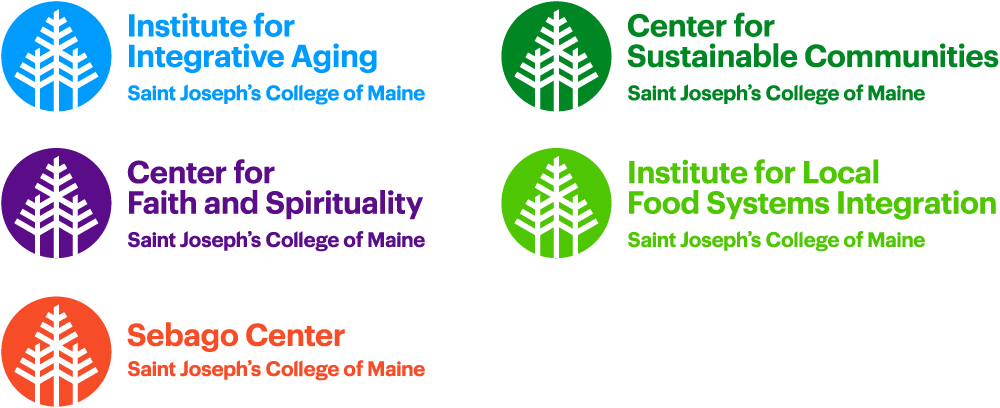
Centers and Institutes
We have modified the shape and color of the main logo to distinguish our public-facing entities – our Centers and Institutes – as they act as explicit ambassadors for SJC in many different external communities. Keeping the main logo intact ties them closely to the College brand, allowing each mark to accrue value to the other.
Examples:
Order Name Badges, Business Cards and Printed Materials
To order College business cards and other Business Cards, Name Badges, and marketing collateral on demand, please reach out to your department administrator. These orders are fulfilled through www.creative-ig.com. The portal allows department administrators to log into this online site to order with the option to also inventory items if they choose to order a large bulk quantity and use small quantities throughout the year.
Please note:
- As collateral gets updated we will continue to add to this portal. The site will always have the current printable design file.
- Items can be ordered and shipped to any location if the purchaser is able to provide a delivery address during the time of order.
- Here is a link to the instructions sheet, a helpful guide with a step by step process on how to use the purchasing portal.
Portal Purchasers: Please contact the purchaser that best represents your department for ordering.
If you are unsure of who your department contact is or have had a staffing change please email marcom@sjcme.edu or anason@sjcme.edu.
Portal Purchasers
Alison Nason (Marketing)
Laura Sullivan (Board & Senior Leadership)
Mylan Bannon (Academic Affairs)
Jamie Stevens (Security)
Heidi Jacques (Human Resources)
Kristy Gelinas (Counseling Center)
Kyle Hall (Online Admissions)
Lynn Brown (On Campus Admissions)
Michael Theriault (Student Life)
Victoria Bernier (Academic Center for Excellence)
Lynne Allen (Student Life)
Ann Rosenfield (Advancement)
Karen Shea (Finance)
Order Logo Wear, Promotional Products, Banners, Tradeshow Booth Displays, etc.
We are pleased to announce that Saint Joseph’s College has contracted preferred vendors for all logo wear and promotional product ordering. Moving forward, if you are looking to order any items featuring the Saint Joseph’s College logo, the Athletics Department logo, or your specific department logo, please contact one of our two designated companies.
By utilizing these preferred vendors, we are able to take advantage of discounted institutional rates and ensure that our college logos are printed or imprinted effectively, professionally, and in strict alignment with our branding guidelines.
Please direct your ordering inquiries and requests to the appropriate vendor below. If you work in academic affairs please direct all ordering requests through Mylan Bannon.
- For Logo Wear (Apparel, Clothing, Outerwear): Please contact Atlantic Sports Wear.
- Glen Tricarico
- GlenT@atlanticsportswear.com
- For Promotional Product Items (Swag, Giveaways, Tablecloths, Pens, etc.): Please contact Geiger Brothers
- Janet Williams (Macomber)
- jwill@geiger.com
Thank you for your cooperation in helping us maintain a unified brand identity across campus while maximizing our institutional budget. If you have any questions regarding branding specifications or the ordering process, please reach out to Alison Nason, Marketing and Communications Director, Marketing Department.
Master Calendar
The Master Calendar is the repository of what’s going on at SJC. It is user-friendly as it filters by specific categories (academic, administrative, admissions, alumni, campus life, community, faith & mission, governance, health & wellness, Institute for Integrative Aging, and sustainability). The calendar shares events with our community and let the prospective students see the fun and exciting events happening on campus.
Calendar Administrators
Victoria Bernier
Bob Chaddock
Jenna Chase
Rhonda Dumond
Marylee Lunt
Sarah McEachin
Kareem Myrick
Suzan Nelson
Sheri Piers
Laura Sullivan
Sheila Verrill
Shanna Webster
Calendar Instructions
Open up your Google Calendar. In the left-hand margin you will find a category labeled “My Calendars”. Under this heading you should see your calendar that will feed the master calendar.
To add your event, follow these steps:
- Open Calendar and pick the time slot for your event
- Select More options in the pop-up window for the new event
- Add in the title and description
IMPORTANT NOTE: do not add a recurring event! When you create a recurring event, the item is given an ID, and all the regular instances are tracked as one long thing. But if you edit one of the instances, that newly edited instance gets a new ID, and the event calendar thinks it’s a new event causing duplications on our calendar! - Change the calendar (look for the calendar icon in the left-hand margin.)
- Save your event!
To help make this even better for our readers, here are a few things to think about when adding new events for the SJC Master Calendar:
- What will be published?
This calendar with your events will be visible to everyone including Faculty, Staff, Students, and any public website visitors. Any events you do not want advertised, leave it off of your Google calendar. This would apply to department meetings, and other non-event information. If it isn’t on your Google department events calendar, it won’t show up on the website. - Title:
Give the event a name that is meaningful to the readers. This is what the readers will see when they visit the SJC Master Calendar. Try to avoid using acronyms, abbreviations, and any industry-specific terms that might leave readers scratching their heads. Keep it simple, yet informative. - Description:
Here’s your chance to sell the event! Put in pertinent information about the event that will give the reader enough information to understand its purpose. Is it free? Be sure to specify. Be sure to include who to contact and how to contact should the reader have questions. Please make sure there’s something there for them to read! - Location:
Where is your event? Add it to the description! Name the building and room, or the outside venue. It is a small campus, but why make them guess. - Dates/Time:
When does it start? When does it end? Does it repeat? If your event is weekly, then set it up to repeat and it will on the master calendar as well.
-
- If you have an event that runs all day, don’t use the all day check box, actually put in a start and end time. This helps to make it clear to readers on the when.
- If you are announcing a date that would signify a deadline or a start, such as the first day of classes, then definitely use the all day option.
- Make a mistake?
Not a problem! Make a change on your calendar to fix it. You can update your events as often as needed. Next time they import, your events will be updated on the Master Calendar.-
- Create or update your event in your Google Calendar that feeds the Master Calendar.
- Wait until the next day and check to see if the Master Calendar updated correctly.
- If NOT, immediately send an email to webmaster@sjcme.edu with the changes needed.
-
- Deleting an Event
Please note, when you delete an event from your Google Calendar, it is NOT deleted from the Master Calendar. Please email webmaster@sjcme.edu and ask for your event to be deleted from the Master Calendar. Please include the event name and the date.
⇒ Read Master Calendar Policies
Questions? Contact webmaster@sjcme.edu.
For questions or to schedule a creative consultation email marcom@sjcme.edu.